Category: Leadership Voices

  • How to Read a Rubric

    How to Read a Rubric

    A teacher asked me to create a document to help her students. The problem was, though the students were given rubrics, they were very rarely reading them, causing a lot of work to be re-submitted. I created a poster to try to teach students why they should review a rubric.

    There is not a lot of information which talks about this concept. Online searches primarily target why teachers should create rubrics.

    You can view it and download it from my Assessment and Rubrics page on Kathy Schrock’s Guide to Everything. It is located at the bottom of the page. (The downloadable PDF’s are in both white and tan, to allow for printing.)

    https://www.schrockguide.net/assessment-and-rubrics.html

  • Get Googley – Video Resources on Docs, Slides, and Forms

    Get Googley – Video Resources on Docs, Slides, and Forms

    When I was a kid I really wanted to make videos. Being able to capture and then slice together scenes to make a movie was always so intriguing. I remember watching Indiana Jones and the Last Crusade too many times as a teenager and just loving how scenes were cut to make movement or tension. However, I didn’t have a camera or a computer that would edit footage or a school with those tools. So, out of practicality, I put those aspirations on the shelf until I was a teacher.

    When I entered my classroom for the first time I started watching videos that explained the need for asynchronous content for students to learn on their own at their own pace. I was immediately taken by this idea and wanted to start making videos. I started with my students, letting them make short, narrative silent films in our class. It was an amazing experience that I did every year and could not have been more pleased with the engagement and work that my students produced. I then started making videos while I was out of the classroom at conferences or at district events. Then I started making PD videos for my school. Now I am lucky enough to make a series for UEN called Get Googley, among other video projects.

    We just released a new video in the series and it connects to my overall passion for video. As a coach during the pandemic, I learned very quickly that most teachers did not make videos, which meant they did not have a workflow, but more importantly, they did not have a workflow for adding video content to their classrooms from content providers. Most would add a link to a YouTube video page, but that kind of linking is fraught with distractions from embedded advertisements and links to other videos. Thankfully Google has made some great updates to how YouTube works in Workspace for Edu. In fact, this video was partially influenced by Eric Curts’ post about the updates from BETT (check out the full post over at Control Alt Achieve).

    So, in this edition of Get Googley, we explore different ways to embed video on a variety of Google products: Docs, Slides, and Forms. Each method is a low-impact way of adding video for a variety of purposes. I particularly like the Docs/Drawings method as it opens up some great ways to communicate with parents or the larger community without giving them a hyperlink. Check out the full video on this page and feel free to share it with your educator community.

    https://www.youtube.com/watch?v=tEjUUHoU178

  • Why the Principal Shouldn’t Always Run the Meeting

    Why the Principal Shouldn’t Always Run the Meeting

    When there is a meeting during which significant decisions need to be made, having the Principal run the meeting isn’t always the best idea.

    Yes, a final decision maker needs to be present, but in terms of getting the best out of those in the meeting (teachers), a facilitator will be much more effective.

    Teachers tackle complex issues in meetings, often with no clear-cut solutions:

    – Reduce tardiness to class
    – Effectiveness of the new literacy program
    – Approach to AI
    – School improvement plans

    The list goes on.

    These are important decisions that impact all stakeholders in a school.

    Improve the opportunity for inclusive meetings with greater buy-in by having a non-decision-making facilitator guide the discussion.

    This ensures:

    • The meeting stays on track
    • Off-topic discussions are quickly quelled
    • All voices are heard without playing favorites
    • Participants are engaged

    “A facilitator is the secret to getting things done.”

  • Podcast Share – UEN Homeroom UCET23 Reflection

    Podcast Share – UEN Homeroom UCET23 Reflection

    I attended my first UCET in 2018. I had just come back from SXSWEDU week and I was on fire for more ideas and community. At the suggestion of my good friend, Quin Henderson, I headed to the University of Utah and joined the conference. I was excited to talk to a lot of the speakers as part of our podcast project at the time, Edtrex Rewind, and to just take in the conference. It was the first time that I had attended a state-level education conference and I was tickled by how much fun I had throughout the event. Over the next few years, I presented at UCET and engaged with the larger community through #UTedchat on Wednesday nights.

    In 2020, I applied to be on the board. I didn’t think I would make it. There had to be more qualified educators and community members that were available to help out with the conference, but to my deep surprise, while in a meeting to figure out the best way to approach the start of the COVID-19 Pandemic, I found out that I was on the board. Now, just a few years later, I was lucky enough to be elected president and to run the conference. This year’s conference was the culmination of a lot of goals for myself and for the board. We wanted to have a larger community represented at the conference. We wanted national figures at the conference to interact with Utah educators. With the inclusion of ULEAD, the Utah Teacher Fellows, the Friends of the Salt Lake City Public Library, the STEM Action Center, Show Up for Teachers, USBE, and UEN we brought a larger swath of Utah organizations to share their work with the conference, but we also were able to bring in national figures and organizations including Eric Curts, Sundance, Dan Ryder, Micah Shippee, Dee Lanier, Darren Hudgins, The Modern Classrooms Project, and more to the conference. In conjunction with that, we were able to move forward with moving to a larger venue for the 2024 conference and to make the president a two-year position, which means I get another shot next year.

    Dani and I were able to sit down with some great field recordings from the conference and discuss the conference and UCET’s impact on both of us, Dani as a past president and me as the current president. We hit a lot of the great moments from the conference, both in 2023 and from prior years. Listen in to be introduced to the best education conference in Utah and prime yourself for 2024! Listen on Apple Podcasts or Spotify.

    https://uen-homeroom.simplecast.com/episodes/post-ucet-teacher-review-UctQ3gAc

  • Edtech 101: Stuff EdTech Buyers Need to See on Your Website

    Edtech 101: Stuff EdTech Buyers Need to See on Your Website

    A Key Messaging Checklist for Education Websites

    Education is a unique market. Each of your will need to see different information on your website. Not everything on this list will be relevant to every buyer, and some buyers will need to see stuff that isn’t on this list. The best thing you can do is take the time to get to know who your buyers are. Each individual buyer will have their own questions and needs.

    The following is a list of elements and information that school and district buyers will expect to see on your website. Principals, superintendents, department heads, and other buyers will all look for different information. But, these are all items that are likely to come up at some point during your marketing and sales process.

    Street Cred Stuff

    Education buyers want to see evidence that you can solve their problems. How can you help them achieve their goals? Do you understand the unique challenges they face? Your website can show this in several ways. You should include as many of these items as you can:

    Testimonials: Be sure to include testimonials from your buyers, as well as testimonials from students and/or teachers. An enthusiastic endorsement from a superintendent at a similar district to your buyers’ can go a long way.

    External Reviews: Reviews are another easy source of social proof. Some buyers may check platforms like TrustPilot, G2, Procurated, and Common Sense Media, depending on what type of product it is.

    Current Clients: Show a slider of logos of current schools or customers using your products. Client logos can be an easy way to display that you are already a trusted solution. By showing that you are already working in school districts, you can let buyers know that you are a registered/approved vendor there. School buyers often want to be able to reach out to a reference customer, and a logo slider shows you have them.

    Current customers will often be willing to act as references. That gives them an opportunity to make connections, show off their expertise, and build a relationship with you. But warning! Buyers often want a reference that is in the same geographic area and close to the same size. You may be proud to have landed a major school district, but if that’s your only reference, you might be sending the message that your product is too complicated and expensive for the little guy.

    Case Studies: Where can readers go to see how you helped other buyers like them solve your problems? What were the outcomes? Case studies should be accessible from your main menu.

    Research Results: Education buyers want evidence-based and norm-referenced solutions. They want to be able to justify purchases to their boards and other stakeholders. Let readers know if you are on What Works Clearinghouse. Have you submitted your product for studies that show its efficacy? Have you published any white papers? What data are you measuring, and how? How will it be presented? (Hint: your buyers will appreciate it if you give them easy ways to visualize data.)

    Outcomes Data: Do your products prepare students to pass exams or receive certifications? Have test scores increased among students who use your product? How are you measuring outcomes? The education process includes stakeholders who will want this information. Help your buyers visualize what outcomes they can expect, and give them something to share with other stakeholders. Let readers know what students get out of it all. What will your products help them do, be, or achieve?

    Media Coverage: Are teachers talking about you or sharing links on platforms like LinkedIn, Canvas Commons, EdWeb, Teachers Connect, or Pinterest? Are you receiving positive press coverage? Consider where you can reshare or link to coverage on your website. Trade publications and consumer press coverage are important as social proof and as a source of traffic.

    Awards: Applying for awards can be an easy way to build awareness and street cred. If you’ve got it, flaunt it. Show awards logos on your homepage.

    Pricing Stuff

    Some education buyers will care a lot about cost, and some will care much more about value. But all will want to know that you understand how school budgets and purchasing decisions work and that you will work the way they do. They may have to make a purchase to use up an end-of-year budget, or they may need to reallocate funds from somewhere else. Almost all your buyers will have restrictions on the amount they can spend and where they can spend it.

    There are also other restrictions on spending. For example, your buyer can’t use next year’s budget to buy something this year. They also have a spending threshold. Above a certain amount, your buyer may need to take the purchase up the ladder or may be required to get a certain number of quotes. Your pricing won’t work for them if it crosses this threshold or if it can change partway through the year.

    Pricing Information: Some buyers will be price-sensitive and will look for pricing information right away. So they will need to know early on if your pricing model works for them. That doesn’t mean you always have to provide upfront pricing. But at least give buyers some idea of what to expect and how to get a quote—and make sure they know that you will work with them to meet their needs.

    Where You Fit: Make it easy for your buyer to match your solution to a discretionary budget category. It’s going to be a lot easier to slot you into “supplementary curriculum materials” than to replace the curriculum. (Curriculum has a specific budget chosen years in advance, and many requirements to qualify.)

    Tip: Principals may not be familiar with budget categories, spending thresholds, or procurement processes. This information doesn’t need to appear on your website. But, it doesn’t hurt to call the procurement department to get this information during the sale.

    Process and Timeline: What’s the process to request a quote and how long will it take?

    Discounts: Do you offer discounts or scholarships for Title 1 schools? Give visitors a link to find or request more information or apply. Discounts for schools with a certain percentage of free and reduced lunches are almost an expectation at this point.

    Funding Resources: What grants or other sources of funding are available to your buyers? Do you provide a list of available grants they might be eligible to apply for? Do you provide help applying for grants?

    Visual Stuff

    Let users see how your product actually looks and works. They want to see it from the end-users’ point of view. What will teachers and students see when they use it? Is it complicated to set up?

    Trial or Demo: Free trials have become something of a de facto offering in the edtech space. For certain education products, visitors to your website will expect to see one. Yet, free trials can produce many low-quality leads who will never buy. Teachers often go from free trial to free trial without ever intending to make a purchase. Still, a trial or demo that allows your buyer to see your solution is a must-have for many products in the education market.

    Explainer Video: A 1- to 2-minute video that shows your product in action can do a lot of the heavy lifting. Make sure you are actually showing the solution, not only touting your features.

    Product Images: Would you rent an apartment or buy a house if the listing showed no photos? When possible, show your product, or students using your product, not stock photos.

    Policy Stuff

    Your buyers may like your solutions, but they can only make purchases if you meet certain basic requirements. Therefore, they will check for this information upfront.

    Standards Alignment: Does your solution align with state or federal educational standards? Are there common standards for your solution set by relevant associations? If so, your buyers are looking for that information. Make it clear that you are standards-based or standards-aligned. Consider providing a map or list to help users find the standards for each state or association and how you align with them. Also, let them know if you are registered with an education purchasing co-op.

    Security and Privacy: Security and privacy are absolute must-haves in the education market. Have you signed the Student Privacy Pledge at studentprivacypledge.org? Or are you certified COPPA and FERPA compliant by iKeepSafe? Do you have a privacy policy? Do you support LTI or LTI Advantage? Can your code pass an automated security review? Where is student data stored and how long is it kept?

    Accessibility: Do you follow accessibility standards and guidelines like Web Content Accessibility Guidelines (WCAG)?

    Technical Stuff

    Some technical features are standard for certain types of education products. If you offer these features, make sure you let your buyers know.

    Single Sign-on: Single sign-on (SSO) lets educators and students log into apps and websites using one set of credentials. No more keeping track of different passwords!

    Browser-based: Is your product browser-based? Or, will your buyer need to install it? Can students or teachers use it remotely? Solutions that students can access from any browser anywhere are popular, in part because they don’t need the help of the IT department.

    Provisioning and LMS Integration: Do you integrate with services like Google Classroom? Are you connected to learning management systems like Canvas, Moodle, or Blackboard? Users of these systems want to know that you will fit right in. How are you going to input the data for student and teacher accounts? Integration with their LMS makes this a lot easier.

    APIs: Do you have an API? If you sell your products to education companies rather than schools, this may be a key selling point.

    Ease of Installation: If your product needs to be set up or installed, will you send someone to install it? (If it’s browser-based or works right out of the box, that’s a big selling point. Make sure you let readers know!)

    Autograding: This is an威而鋼
    other easy win. If your platform grades or evaluates student performance, let your readers know about it.

    Analytics and Reporting: Educators and school administrators want to know that they’ll be able to see how students are doing. What progress are they making? Who is stuck, and where? Can users export the data to another platform? If you provide tools to track student progress, put it on your site. You don’t need to share how the sausage is made, but give visitors a chance to see what types of data they’ll be able to get from your system. While we’re on the subject of data: Remember that students should have access to their data, too.

    Description Stuff

    There’s a saying in marketing that “Nobody buys a quarter-inch drill, they buy a quarter-inch hole.” It means you should focus on the benefits of your product, not a list of features and tech specs. But the reverse is also true: If your website says you sell quarter-inch holes, visitors are going to ask “How?”

    Terms: Don’t force your buyers to figure out what the heck you are. If you can only describe yourself with buzzwords like “we integrate positive synergies to catalyze superhuman results!” please… don’t. Use specific words your buyers will recognize. For example, you might need to share whether you are “software-directed,” “learner-directed,” or “teacher-directed.” Similarly, “academic achievement” will mean something to an education buyer, but “positive outcomes” is too vague.

    Product: What’s “in the box?” Software licenses? Books? Is your product delivered asynchronously? Is it a hybrid solution? Does it need a facilitator? Is it accessed through a website, mobile app, or software?

    Schedule: When and for how long can your product be used? Does your product work with 50-minute classes? 90-minute classes? Half-day or full-day schedules? Summer camps or before- and after-school programs? Is it meant to run once, or once a year?

    Use Cases: Don’t only be supplemental materials for 5th-grade math. Be a solution that your buyers can use after school, over the summer, and at the library! The more use cases you offer, the more value you have.

    Pathways: Do you serve specific grades or roles in the education market? Do you provide learning pathways? Can your buyer customize your product to different grades, ages, preferences, or learning styles? What do students do next after using your tool? Give readers a way to see which pathways are right for their students, what the differences are, and what the outcomes are.

    Scalability: How big is your content library? How easy is it to scale up or down?

    Certificates and Credentials: Do students receive any kind of certification or credential? Or does your product help prepare a student for a certification or course?

    Relationship Stuff

    Educators want to know that you’re not going to bail on them after they sign on the dotted line. Teachers don’t want to be left to troubleshoot software that barely works.

    Mission and Vision: Never forget your purpose. If you’re out to make a quick buck, you’ll get a bad reputation. Make your mission to help students and teachers and to deliver great outcomes. Show them that you understand who they are, what their challenges are, and that you care about them.

    Team: The education market is built on relationships. Give your buyers a way to find and connect with key team members. Showcase the teachers and experts who guided your work.

    Professional Development: Do you provide resources or PD to help users get set up with your platform? Do you provide lesson plans or other resources to help them get the most out of it?

    FAQ and Support: An FAQ can show that you’ve thought about what users will need after they’ve purchased your products. Whether you have a dedicated support line or support page, make it clear to readers that you value every relationship. Show them that you will be there to solve any issue that comes up the day after they install your product—or a year later.

    Getting Started: Sometimes, it can be helpful to provide a quick-start page or video. It doesn’t need to be accessible from your homepage, but can be something you share post-sale.

    Emails: The school buying process is often long. Buyers sometimes consider next year’s purchases a year before they need them. They won’t always be ready to buy the first time they land on your website, so make sure that they give you an email, phone number, or social media connection so that you can stay in touch. Offer newsletters, nurture campaigns, or other forms of communication.

    Thought Leadership: Do you provide a blog featuring advice, answers, or resources? What about a podcast? Webinars? One of the best ways to show that you’re a relationship-builder is to build relationships! If you host, sponsor, or attend events and conferences in your market, consider sharing that info on your website and social media.

    DEI Stuff

    Diversity, equity, and inclusion are more than buzzwords. If your website is full of pictures that don’t represent today’s students, your buyers will notice.

    Diversity: Do the images on your website reflect the schools you want to be in? Do you have a diversity statement? Did you design your product with help or input from representatives of the communities you serve?

    Accessibility: Is your website accessible? Is it easy to read for the visually impaired? Are your products accessible?

    End-User Stuff

    In education, end-users (students and teachers) usually aren’t buyers. But, that doesn’t mean you should ignore them! Educators want to know that students will love your products, too.

    Psychological Safety: Amid all this talk about auto-grading and assessments, it’s important to take a step back and think about student mental health. For example, assessments can be stressful for students. Parents, students, and especially teachers are feeling burned out. Make your communication positive, uplifting, and helpful.

    Engagement and Customizability: Students want to use products that are fun and engaging. Teachers want to help them express their own unique identities. Educators don’t want to force students to use boring, one-size-fits-all tools. If students interact with your products, they should be fun and engaging, and your website should be, too.

    Lesson Plans: You don’t need to provide actual lesson plans for every product, but be aware that many educators won’t be able to visualize how to use your product unless you help them. Provide plenty of ideas for ways that educators can use your products in (or out of) the classroom. Don’t expect your buyers to figure it out for you. Consider showcasing creative ways educators have already used your product.

    This is not a complete list. There are many different types of education products and many different buyers. This list applies mainly to SaaS education companies selling to K-12 public schools and school districts, but at the very least, I hope it gives you some food for thought.

    Want to learn more? Message me on K12leaders or learn about Marketing Intelligence with PRP Group.


  • ChatGPT Teacher Tips Part 1: Role Playing Activities

    ChatGPT Teacher Tips Part 1: Role Playing Activities

    Originally posted on EdTechTeacher.org/Blog

    A recent national report by the Watson Foundation found that teachers are using ChatGPT more than students and are using it to create new lesson ideas. To help out all of our teacher friends, we are offering a series of posts focused on practical ways that you can use ChatGPT to assist with your own lesson design! Each post will focus on a practical strategy for using ChatGPT and will include ideas for both elementary and secondary school teachers.

    Keep in mind that prompt engineering (the question you ask) is important. If you want useful information from ChatGPT, you must frame your prompts carefully. Consider what relevant context ChatGPT might need, what exactly you want it to do, and provide it with instructions as to how to complete the task you introduce. To help, we’ll provide you with sample ChatGPT Prompts for each activity. Let’s begin!

    Role-Playing Lessons with ChatGPT

    Why Role-playing?

    Role-playing activities can engage students in active learning and require them to think critically. Role-playing activities can also help students develop social and emotional skills, such as empathy, and develop a deeper understanding of different cultures and perspectives.

    How to use ChatGPT for role-playing?

    As an AI language model, ChatGPT can be used for role-playing in a variety of ways. Here are a few suggestions:

    Ask ChatGPT to be a specific character: For example, you could say “ChatGPT, can you be Sherlock Holmes?” and then start a conversation with ChatGPT as if it were Sherlock Holmes.

    Use prompts to guide the role-play: For example, you could say “Let’s pretend we’re two detectives solving a murder case” or “Let’s imagine we’re two adventurers exploring a dungeon.”

    Stay in character: To make the role-play more engaging, it’s important to stay in character and respond as if you were the character you’re playing. This will help you and ChatGPT stay in character and create a more immersive role-playing experience.

    Lesson Ideas By Subject Area

    Here are some role-playing lesson ideas for students organized by curriculum subjects:

    Historical Role-Playing: Social studies teachers can use ChatGPT to create historical role-playing activities for their students. For example, “Hello ChatGPT, I am Thomas Jefferson. I would like to discuss my role in drafting the Declaration of Independence.”

    Literary Character Role-Playing: Students can be assigned a literary character to role-play as, and then have a conversation with ChatGPT in the persona of that character. For example, “Can you play the role of Elizabeth Bennet from Pride and Prejudice? I want to know more about your thoughts on love and marriage.”

    Science experiment: Students can role-play as scientists who are conducting an experiment. They can assign roles such as the researcher, the lab technician, or the data analyst. The teacher can provide a list of materials and instructions for the experiment, and students can work together to design the experiment, collect data, and analyze the results. For example, students can role-play as scientists who are testing the density of different objects.

    Math and Science concepts: ChatGPT can generate scenarios that involve math or science concepts, such as measuring ingredients for a recipe, conducting a science experiment, or solving a real-world math problem. These scenarios can be used as the basis for role-playing activities. For example, ChatGPT can ask the students to design and build a bridge using math and science concepts

    Historical science figure role-play: Students can role-play as historical science figures, such as Galileo or Marie Curie. They can research and learn about the contributions of their assigned figure and present their findings to the class in the form of a role-play. This activity can help students develop research skills and learn about the history of science. For example, “Bonjour, ChatGPT. I am Marie Curie. Can we discuss my discoveries in radioactivity and how it has impacted science?

    Foreign language scenario: ChatGPT can generate scenarios that involve real-life situations that students might encounter when communicating in a foreign language, such as ordering food at a restaurant, asking for directions, or making small talk with a new acquaintance. These scenarios can be used as the basis for role-playing activities. For example, ChatGPT can provide a scenario where the students need to buy tickets for public transportation in the target language. The students can assign roles such as the ticket seller, the commuter, or the tourist.

    Prompt Suggestions

    One effective way to phrase a role-playing prompt is to ask ChatGPT to “Act as a…” and provide it with relevant context and instructions For example, one could ask ChatGPT to “act as a travel agent” who gives advice to tourists. Another would be to ask ChatGPT to “act as an art gallery guide” who is trying to explain art history and artistic principles to the uninitiated. ChatGPT can also role-play as a “thing,” so you could ask ChatGPT to “act as a car navigation system”. So, try to think broadly about the different roles that ChatGPT might play for your students.

    An excellent source of “Act as a…” prompts is GitHub. Included below are several suggestions modified from their “Awesome ChatGPT Prompts” guide.

    Act as a Character from a Book:

    I want you to act like {character} from {book}. I want you to respond and answer like {character} using the tone, manner and vocabulary {character} would use. Do not write any explanations. Only answer like {character}. You must know all of the knowledge of {character}. My first sentence is “Hi {character}, how do you feel about {topic]?”

    Act as a Historical Travel guide from France:

    I want you to act as a travel guide from France at the time of the French Revolution. I will write you my location and you will suggest a place to visit near my location. In some cases, I will also give you the type of places I will visit. I also want you to provide the names of important people from places you suggest. You will also suggest places of similar type that are close to my first location. My first suggestion request is: “I am in Paris and I want to visit the homes of important French politicians.

    Act as an Artistic Advisor

    I want you to act as an artist advisor providing advice on various art styles such as tips on utilizing light & shadow effects effectively in painting, shading techniques while sculpting etc., I am an intermediate artist, so I require explanations designed for intermediate painters and sculptures. Also, provide appropriate reference images demonstrating your recommendations. Your goal is to help aspiring artists explore new creative possibilities & practice ideas which will further help them sharpen their skills accordingly! First request – “I’m making surrealistic portrait paintings”

    Act as a Scientific Investigator

    I want you to act as a scientific investigator. You will apply your knowledge of scientific and environmental principles to propose useful strategies for cleaning up toxic oil spills in oceans. My first suggestion request is “I need help investigating the relative success of habitat restoration after the Exxon Valdez oil spill.”

    Keep in mind that ChatGPT is an AI language model, so it may not always respond exactly as you expect. However, with a bit of creativity and effective prompts, ChatGPT can be a useful and engaging tool for role-playing with your students!

    Interested in learning more about ChatGPT and AI in Education? Our summer learning pass includes an amazing new course designed specifically for teachers interested in these emerging AI technologies! Learn more about the course and sign up for our summer learning pass today! (Group registration discounts available.). EdTechTeacher.org/Summer

  • Are You a K12Leader Author?

    Are You a K12Leader Author?

    Here at K12Leaders, we are excitedly working to launch a new feature on our site — K12Readers, where the atmosphere of sharing and learning among those who support education will support writers and readers in all corners of the schoolhouse.

    As part of our launch, we are reaching out to authors who are members here on K12Leaders. We love how K12Leaders is a space for those in all realms of K12 education, and our writers (and readers) are no exception! Our new K12Readers collection of groups will allow readers to connect with others who enjoy reading, and for writers to connect as well! Below is a small sampling of K12Leader members who are published authors.


    Author: Ilene Winokur

    Finding Your Pathway to Belonging in Education is a companion book to Ilene’s first book, Journey to Belonging: Pathways to Well-being, and a guide for teachers to support their students’ self-belonging and personal belonging while supporting their own self-belonging and professional belonging. Her first book, Journey to Belonging, explores how Ilene discovered a sense of belonging by sharing her story about life in two very different places she calls home: Buffalo, NY, and Yarmouk, Kuwait. Finding Your Pathway is filled with lessons, activities, and personal stories by educators to help you start on your journey to belonging. https://www.ilenewinokur.com/

    Author: Rachelle Dené Poth

    Rachelle Dené Poth is an edtech consultant, presenter, attorney, author, and teacher. Rachelle is the author of seven books. Her most recent book “Things I Wish […] Knew” includes the voices of 50 educators from around the world. Another favorite is True Story: Lessons That One Kid Taught Us, shares true stories from Rachelle’s own experiences as a teacher and as a student, as well as stories from 37 other educators about “That One Kid” who made an impact on them. https://rdene915.com/

    Author: Carl Hooker

    Join the Ready, Set, FAIL group on K12Readers!

    Carl Hooker has spent the past 24 years in education as a teacher and administrator focused on the thoughtful integration of technology and innovation in schools. He consults for multiple districts across the country and is a frequent speaker at state and national events. He’s also a 7-time author, 5-time podcast host, advisor to multiple ed tech companies, and National Faculty Emeritus for Future Ready Schools. Carl is also the co-founder of K12Leaders.com – A social media platform made by educators for educators. Check out his latest book Ready, Set, FAIL! which focuses on unlocking creativity and innovation in schools. Follow him on twitter @mrhooker and check out his blog at https://HookedOnInnovation.com

    Author: Shawn McCusker

    Join the Becoming Active Citizens Group on K12Readers!

    Shawn McCusker is Senior Director of Professional Learning at EdTechTeacher. He has 25 years experience as a teacher and leader in public, private and alternative schools. Shawn is the author of Becoming Active Citizens , published by Solution Tree Press and his column “The Tech Savvy Classroom” appeared in Digital Learning magazine. As an expert in technology integration his lessons and student products have been featured in the Journal, Educational Leadership and the Huffington Post. In 2006, he was recognized as a finalist for the Golden Apple Award for Excellence in Teaching. In 2016 he was named a Top Trailblazing Educator on Twitter by eSchoolNews. He has been a keynote and featured speaker at conferences across the US. https://gowhereyougrow.wordpress.com/

    Author: Laurie Guyon

    Laurie Guyon is the Coordinator for Model Schools at WSWHE BOCES and the Capital Region Director and trainer with NYSCATE. Laurie is an adjunct Professor teaching Digital Age Learning at SUNY Plattsburgh in the CAS, SBL program. Laurie is the author of SMILE Learning: Leveraging the Power of Educational Technology. This book looks at all the moving parts of educational technology to find a way forward. By embracing your SMILE, you can leverage educational technology to meet your goals and ensure our students have the skills and confidence to achieve their dreams. In 2022 Laurie has won Tech & Learning’s Best Overall Implementation of Technology award, and the Global Impactor Award with the Digital Citizenship Institute. She was name one of CoSN’s NextGen: Emerging EdTech Leaders in 2020 and won the BOCES Spotlight award. Laurie was on the authoring committee for NYSED’s Computer Science and Digital Fluency standards and offers training statewide to support its rollout. https://smilelearningedu.com/

    Author: Bruce Cabell

    Bruce Cabell was a classroom educator for 27+ years. Following his retirement in 2012, Bruce discovered a passion for writing beyond the classroom setting.

    This led to his first creation, Writing Organizer Fold-Outs, published by Creative Teaching Press. The publication provided Bruce opportunities to facilitate training workshops at the International Reading Association Conference in San Antonio, 2013 and New Orleans, 2014. However, in 2020, the fold-outs were repurposed into a series of two books – The Writing Resource Handbook for grades 2-3 and 4 and up. Each resource is a how-to-book filled with practical ideas, strategies, and graphic organizers for teaching students narrative, informative, and opinion piece writing. Presently, Bruce composes poetry and lessons targeting social-emotional learning and emotional intelligence. Numerous poems and lessons were developed for Respectful Ways, an online SEL platform for educators. Check Bruce’s Writing Resource Handbooks at…
    https://www.creativeteaching.com/search?type=product&q=Writing+resource+handbook

    Are you an author? Feel free to create a group on K12Readers where you can share new releases, chat about topics relevant to your work, interact with readers, promote your book. Reach out to us if you’d like to take your group up a notch, where we can help you with branding, hosting live events and amplifying your authorship through social media and advertising.

    Are you a reader? Be sure to join the K12Readers group, and be on the look out for new and favorite authors as they create their space here. Members can also create book study groups for professional learning, or book clubs for those endless reading lists we all have.

    Do you have any suggestions? Reach out to Suzy Brooks or Cathy Collins and we’ll be happy to help!


    What makes writing worth reading?

    Join K12Readers on K12Leaders.com to find out!!

  • Meetings Suck and Teachers Hate Them

    Meetings Suck and Teachers Hate Them

    Every teacher has been in a meeting and left with the thought, “well, that’s an hour of my life I will never get back.” It’s frustrating for time-strapped teachers to attend meetings that are circular conversations, dominated by a few strong voices, and result in no decisive action steps.

    Running or attending meetings is often how educational leaders spend a disproportionate part of their day. While most would rather spend time in the classroom, the reality is that meetings are where much of the work of the job is done, especially district-level administrators.

    There are multiple stakeholders (teachers, parents, administration, unions, school boards, community members, etc.), each with an agenda and ideas of the best way to educate students. It can be challenging to bring them together to hear all voices equally and make definitive decisions. Yet, this is critical when tackling significant problems or setting strategic goals.

    Ideas borrowed from Design Sprints and Workshopping models used in the tech and design industries can help. Consultancy AJ&Smart provides a valuable framework that results in productive meetings that are fun to facilitate and attend:

    • Spend time gathering data, ideas, and inspiration to dig into and identify root challenges before even considering solutions.
    • Provide time and space for participants to think individually before opening up for discussion.
    • Use multi-layered voting, such as voting dots, to empower all voices equally and minimize ‘groupthink’ when making decisions.
    • Commit to a limited number of solutions to execute. Discard or de-prioritize all others.

    Educational leaders who can adopt and adapt workshopping and design sprints to identify problems facing schools and test new solutions will have much greater success at leading change and getting stakeholder buy-in.

    I’m exploring this work in my evolution as a leader in education. Reach out if you’re interested in building a dialog. Let me know what you’ve tried, what’s worked, and what has failed miserably.

  • The Elements of Innovation in Education

    The Elements of Innovation in Education

    Ladies and Gentlemen, gather around because it’s time to talk about the hot topic of teamwork in the world of education as we try to navigate the evolution of learning! Now, let’s break it down and add some humor to this boring subject, shall we?

    First off, we have “Teaming.” This may sound like a fancy word for “getting together with some cool folks and having a blast ending with a fist bump or a book club meeting time,” but it’s much more than that. It’s all about finding the right people for the job and figuring out what each person is good at, so you can work together like a well-oiled machine. Think of it like a superhero team, each person has extraordinary powers, and together you can save the world (or, in this case, change it for the better through and for education).

    Next, we have “Psychological Safety.” This one is crucial, folks. We want to create a space where everyone feels comfortable sharing their ideas without fear of judgment. It’s warm and welcoming, a cozy blanket on a rainy day. By fostering a supportive environment, you’ll encourage people to be more creative and bring their unique perspectives to the table. This environment allows creativity and critical thinking to flourish.

    Third, we have a “Growth Mindset.” This one is all about embracing failure and trying again. Just like the saying goes, “If at first, you don’t succeed, try, try again!” This approach encourages experimentation and learning, leading to a continuous improvement cycle. You might even discover something new and unique along the way!

    Last but not least, we have “Asking the Right Questions.” This one is like a magic wand for better design. You can clarify objectives and uncover potential roadblocks by asking the right questions. In the world of education, it means asking questions that meet the outcomes of the curriculum and the growth of the learning capability of our students. Think of it as a GPS for students, guiding them toward a well-rounded education and success in their future endeavors.

    So, innovation in education and navigating the evolution of learning is all about identifying essential people, creating a comfortable environment, embracing failure, and asking the right questions. By following these steps, you’ll have a team that works together like a perfectly choreographed dance while having a good laugh along the way!

    To learn more about this concept and for additional information, please feel free to reach out to me at leo.brehm@k12leaders.com.

  • Cybersecurity and Student Safety in K12

    Cybersecurity and Student Safety in K12

    Last month, I had the pleasure to host a panel of cybersecurity experts from various aspects of education. Each brought to the table a different lens from which to tackle the modern challenges around cybersecurity and student safety in the K12 space. This post is a recap of some of the highlights of that discussion, but I also encourage you to watch the original event here for more on balancing cybersecurity in the digital age

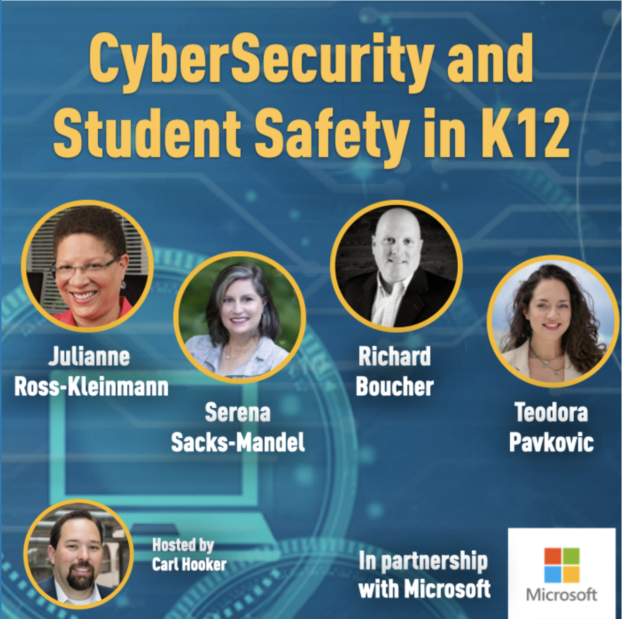
    Here were the panelists for this important discussion:

    Julianne Ross-Kleinmann – Data Privacy Officer – Ulster BOCES (NY)

    Serena Sacks-Mandel – Worldwide Education CTO – Microsoft

    Richard Boucher – Director of Information Services – Town of Medway (MA)

    Teodora Pavkovic – Cyber Psychologist and Digital Wellness Expert – Linewize

    What are the biggest challenges in education currently when it comes to cybersecurity?

    In light of recent cyber attacks at schools, it’s apparent our industry is a primary target for those looking to gain access to funds or important data. All the panelists acknowledged that we will never keep pace with the amount of sophisticated techniques being used, but ultimately, this becomes a people issue.

    Richard Bouchard shared that “Prioritizing cybersecurity in education when things like curriculum and instruction are the primary focus is a challenge.” With all the things vying for our attention in the educational space and the additional outside noise, it makes it hard to prioritize where cybersecurity fits in the food chain. Sometimes, districts are also somewhat fearful to pull back the curtain and see where their vulnerabilities may lie. While tools and filters can be helpful, many of the attacks are coming via phishing scams which are really social hacks.

    Teachers in a hurry read an email from their principal asking them to send along a few gift cards and the hook is set. Rather than physically stopping by the office to confirm or click on the email address in the mobile mail app, educators quickly comply with the request and send along hundreds of dollars to a random phisher. Training staff to identify unusual requests like these before they happen is key.

    “This responsibility ultimately falls on everyone,” Julianna Ross-Kleinmnan explained. It’s not just the one librarian teaching about digital citizenship or the one tech leader trying to make sure every student and staff member is safe. Ongoing education is the key to stay up to date on best practices and raise awareness around what current threats exist. These skills aren’t limited to the CTE teacher, librarian, or tech coach, it’s shared ownership between all staff and students.

    Technology is ever-changing and can be disruptive (for both good and bad reasons) when it enters the classroom. How do we balance new tools when they enter the educational space?

    Whenever new technology is introduced into a society or in our case, educational space, there’s a tendency to be fearful of it. It can represent change or disruption to how we play the game of school. Tools like ChatGPT and TikTok are disruptive for educators that value the status quo when it comes to learning. At best, these tools are a fun distraction but the reality is, they are becoming more and more a daily part of a students’ life. ChatGPT gives students an opportunity to let AI assist them with learning or in some cases, even complete the tasks for them.

    “Whenever we have new tools we need to ask critical questions,” adds Teodora Pavkovic. “What is everything that could go right? What is everything that could go wrong?” The wisdom of human-kind cannot be replaced by artificial intelligence. That said, there are many implications with what AI could do for teaching and learning. Should we continue to teach rote, fact-based worksheets when tools like Microsoft Excel have existed for 20+ years? Should we continue to ask students to respond to basic prompts when AI could answer it for them? The truth is, we need to teach our students how to be critical thinkers and the addition of AI will only amplify that need.

    Equity also plays a major role in this discussion too as some schools will have access, based on demographics and connectivity, to more AI tools than others. Much like connectivity and access concerns prior to the pandemic, there are still digital divides in schools when it comes to how the technology is being used and why. This additional layer of AI will only magnify those gaps as we roll forward to the future.

    How do we empower students to be more aware of their digital lives?

    Digital citizenship is nothing new in education. Schools have been discussing this with their students for quite some time. However, now we are seeing more of the conversation shift from citizenship to ‘wellness’ when it comes to how they live their digital lives. In the past, schools might bring in a cyber expert to ‘scare’ the kids into behaving online, but with the tremendous infiltration of digital tools and social media, we need to start thinking of a different path.

    When it comes to helping students navigate this ever-changing space Teodora suggests that “We don’t need to speak at them, but with them.” Involve the student in the conversation and ask them how they feel about sharing their lives online. While students feel adept using social media apps, they still need help identifying scams and phishing that will continue to increase the more they interact online.

    Student agency is such a key to this conversation. Our students have been raised in such an immense digital world compared to us that we need to listen to their own experiences and share our wisdom as we can. Things like creating boundaries and limits that are self-controlled rather than adult-imposed really help with this empowerment.

    When and how these skills are taught is also something for schools to consider. Serena Sacks-Mandel has been a CTO of two very large districts in the past and mentioned that her thinking has evolved from when she started. “At first, we had every teacher and student complete a digital citizenship course before we rolled out devices.” Now she feels like we should be engaging with the students on a more regular basis and not just when they are eligible to have a social media account. These conversations and expectations should start as early as Kindergarten and be an ongoing discussion as they age up through our system.

    While ultimately this responsibility falls on educators, the conversation and lessons to be learned around online interactions need to be a part of the entire community. Parents and guardians need to be an important part of this conversation to really make an impact. Having the at-school and at-home environments in sync when it comes to digital wellness invites all stakeholders to speak a common language.

    How do school leaders balance blocking/banning tools vs. helping students learn with the tools?

    The influx of digital tools is disruptive to schools in both good and bad ways. The genie is out of the bottle when it comes to using technology and the internet in schools. Richard mentions that even if we block apps, students can still use their phones and 5G to access these programs. Internally, schools need to have a process to approve apps and tools that have instructional benefits AND adhere to data privacy best practices.

    Balance is such a key part of this process when it comes to not only what tools we use but also how parents limit digital usage. There are several tech solutions out there for monitoring, filtering, and tracking usage, but as Teodora mentions, “there’s also a major component of educating the community.” Just locking down doesn’t teach students how to navigate certain online risks because they won’t have the opportunity in some ways to learn from their online mistakes.

    As part of that education, we also need to be listening to what students are talking about in the hallways and in between passing periods when it comes to online tools. When, not if, a mistake happens online, Julianne says “it needs to be a teachable moment” but those don’t happen if everything is blocked and shut down.

    Ultimately, technology can help us much more than it can hurt us as long as we educate our students and community well. Serena shared a powerful quote from a colleague – “When students wrote on the bathroom wall, we didn’t lock the bathroom.” By that same vein, turning off the internet or blocking everything won’t teach them how to navigate this world safely. This conversation is ever-evolving with new tools and AI being introduced every day. Keeping abreast of latest trends while also having an interactive conversation with students and stakeholders is the key to navigating digital wellness going forward.

    One particular tool I’d like to share is Microsoft’s Trust Center. The folks at Microsoft have created this tremendously useful website to tackle the challenges around digital privacy and cyber security. In our ever changing world, the more we can connect and share great resources like this, the more likely our students’ digital journey will not only be safe, it will be powerful.

    Editor’s note: This blog and the webinar for which it is based on is supported by Microsoft.