Category: Leadership Voices

  • June Updates from K12Leaders

    June Updates from K12Leaders

    K12Leaders is growing in membership as well as capacity.  We have some exciting new features we’d love to share with you!

    Ambassador Program.  Are you already a raging fan of K12Leaders? We’d like to reward you with swag and other rewards. A new contest will be coming up soon!! Be sure to check out co-founder Carl Hooker’s article here .

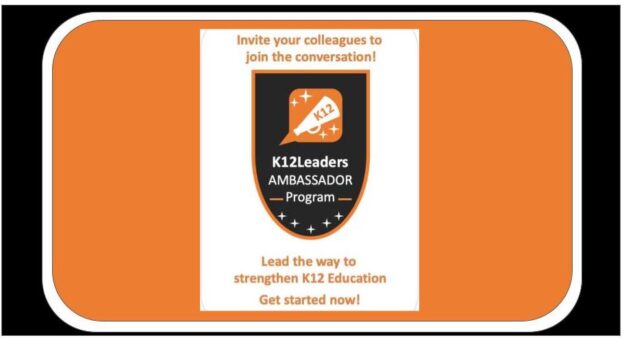
    Banner for K12Leaders Ambassador program.

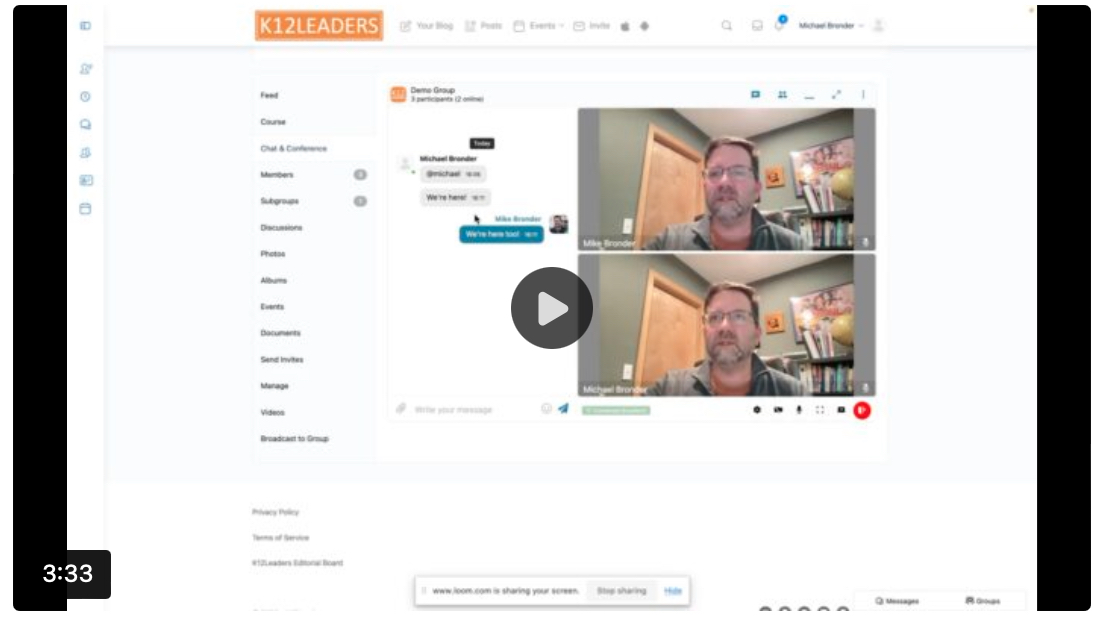
    Real-time Video and Chat- We’re all familiar with the mainstream platforms, and we’ve all relied on those for years. What’s been missing, though, is a way to “keep the conversation going” after the video conference ends. Any text chat are lost when the meeting ends.

    We’ve solved that by creating a persistent chat within your Groups and Communities that will maintain the text, inks, and media that you may have shared during your video conversation even AFTER the video ends.  So tomorrow or next week you can come back and pickup right where you left off!!!

    Want more than one conversation thread? No problem! Go ahead and create a “Child Group” to house that as well!

    Here’s a quick video intro, and we’ll be scheduling some regular “water cooler” meetups here too to help you get familiar with how it all works.


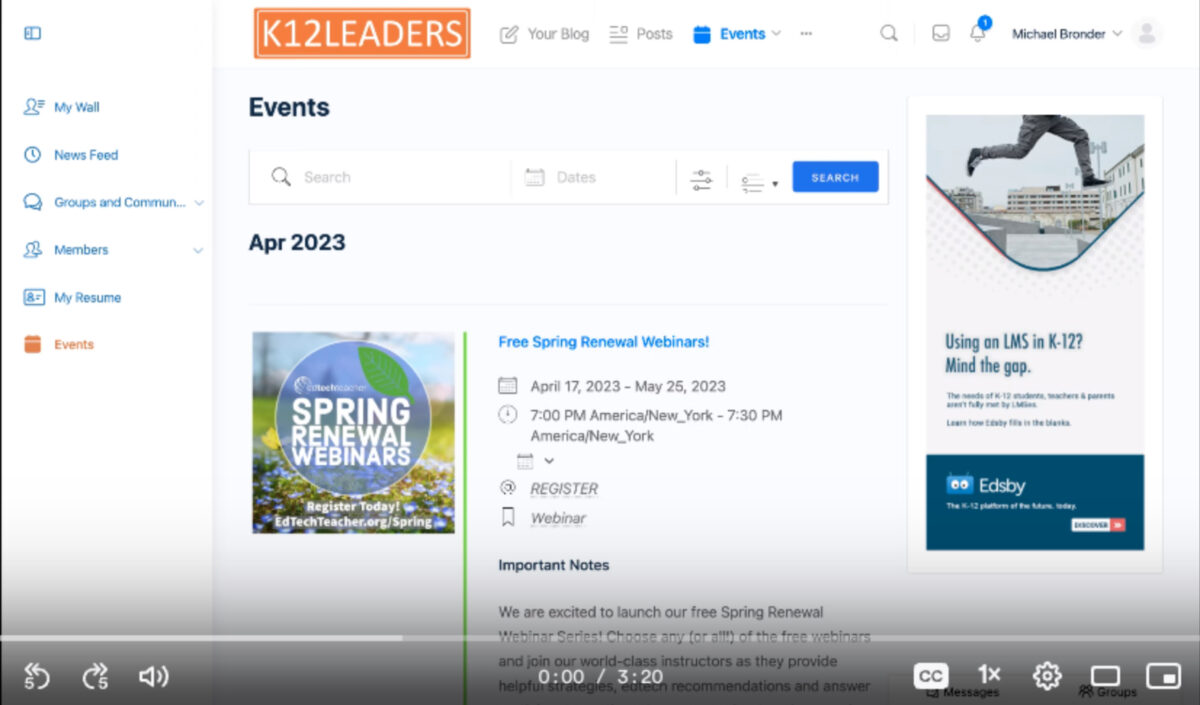
    – Better Event Management for educators, coaches, consultants, and our solution partners. This gives you:

    – Formatting control over event details

    – Ability to include an event image

    – Assign an event to a Community you organize so it appears in your group’s Event menu, and keeps it private from the global calendar.

    – Control over your event locations… Choose an existing venue (New Orleans Convention Center) or add your own, or assign an online destination like Zoom, or your own chat room.

    This new process also makes it MUCH easier for our team to review and publish your event to the calendar.


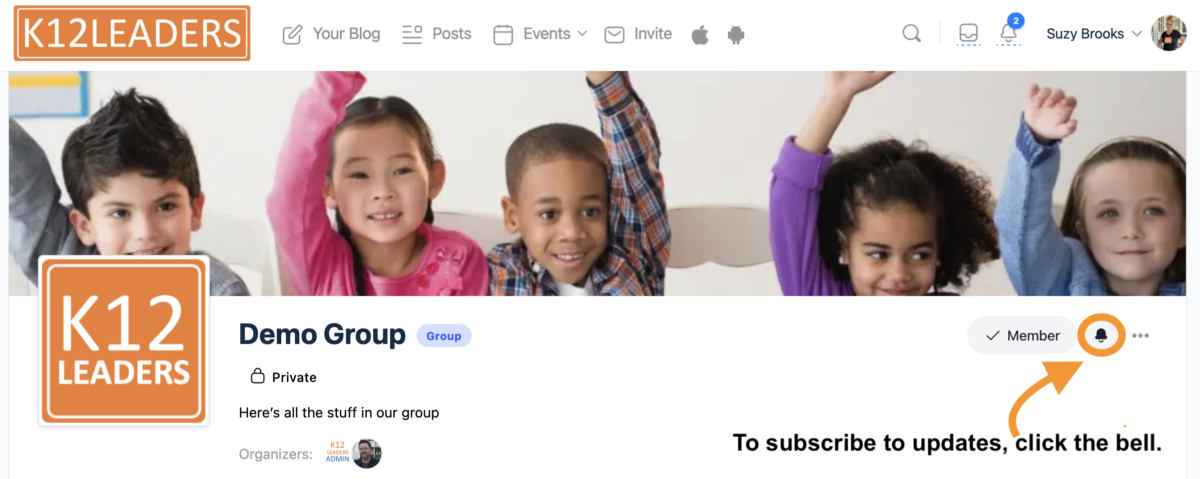
    “Subscribe” to Group Updates .  Groups on K12Leaders are buzzing – don’t miss a post or a reply when you use the new Subscribe feature!

    A group homepage with an arrow pointing to the bell symbol with a reminder to click on the bell to subscribe to updates.


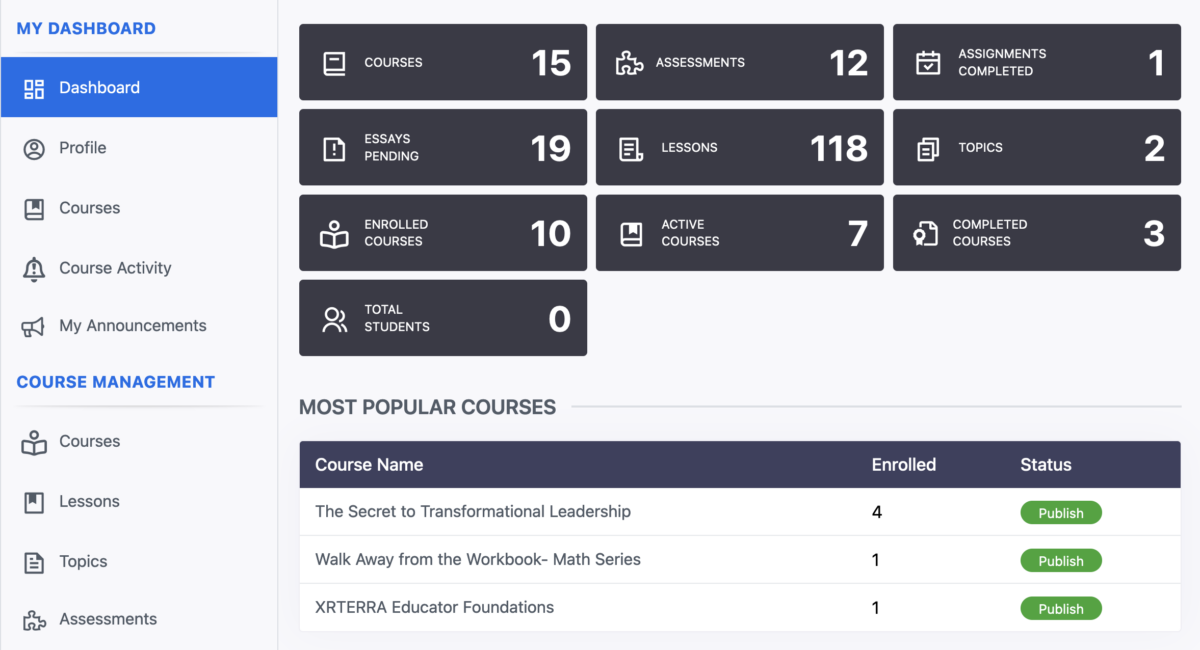
    Course Builder Launched.   Are you or your organization looking to host an online course? We now have the tools you’ll need!  Feel free to check out the courses we are already offering as well here!.


    Mobile App Changes .  We have updated our K12Leaders app to look and respond much like the website.  Be sure to discard the pilot app and then download this new, more responsive one!

    Then, invite a friend to download the app and join you on K12Leaders!


    Hashtags .  Have you noticed the trending hashtags on the K12Leaders’ home page? You can add hashtags to your posts to gain more visibility and interaction.


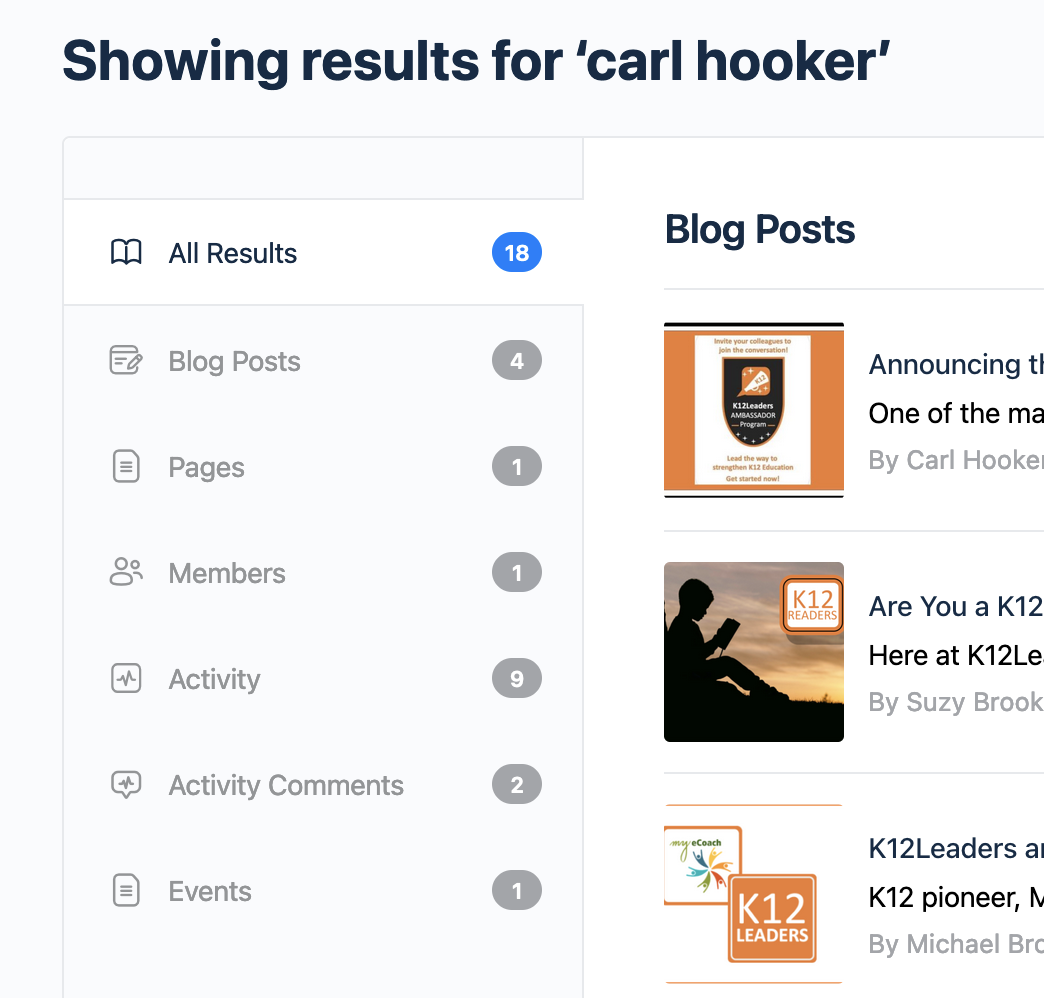
    New, improved searching capabilities !

    We have designed a comprehensive search engine within the K12Leaders site. When you search, you will see results for people, articles, posts and more! Give it a try and see what you can find!!

     So as you can see, we have many new features on the site, with more soon to come. Feel free to reach out if you have suggestions or feedback. We value the ideas of our members!!

  • Don’t just Survive…Thrive as a Superintendent by joining MASTERCLASS for Aspiring Superintendents

    Don’t just Survive…Thrive as a Superintendent by joining MASTERCLASS for Aspiring Superintendents

    MASTERCLASS for Superintendents is a mission-driven LLC dedicated to helping K-12 education leaders more effectively lead school districts. We ensure that aspiring and experienced superintendents thrive and not just survive.

    As we look out at the landscape of the present state of the Superintendency in Massachusetts, we see a significant yearly turnover of Superintendents.* Retirements, resignations, and terminations undermine this key leadership role in many districts. This is not just a cliche –

    “Districts that frequently change Superintendents continue to try to build for the future in fits and starts. One step forward and two steps back.”

    At MASTERCLASS for Superintendents, we strongly believe that there are two areas in need of much more attention – the pool of aspiring Superintendent candidates, and experienced Superintendents who have completed at least 3 years in the position. We prepare aspiring superintendents and better enable experienced superintendents to lead by combining a world-class leadership learning journey with proven real-world experience, delivered in an accessible, high-impact format.

    Developing a larger, more diverse, and better-prepared pool of aspiring superintendents (principals, directors, assistant superintendents, etc.) is critical to sustaining lasting leaders up to today’s superintendency’s complex tasks. Increasingly, new superintendents struggle to make it to their next contract – tripped up by the constant day-to-day decision-making and negotiating required by multiple stakeholders with competing interests in our increasingly politicized environment. While many superintendent preparation programs focus on setting a vision and building a successful entry plan, these alone are not sufficient skills to set superintendents up for success. As we emerge from the challenges of the pandemic, building trusting relationships and strengthening teams must also be superintendents’ key areas of focus. Even the most talented and experienced leaders cannot lead alone. Collaborative leadership, inclusive of School Committee members, can ensure that districts are poised for the kind of lasting leadership that results in improved opportunities and outcomes for all students.

    Through a cohort model, MASTERCLASS provides high-impact modules focused on the most important actions to take when leading complex public school districts. 

    In our Aspiring Cohorts, we support participants as they explore the challenges and opportunities inherent in the superintendency and discern whether it is the path they feel called to pursue. The Aspiring Superintendents Cohort supports participants so they are ready to step into the role and be effective on day one.

    The Experienced Cohorts focus on Superintendents who have finished three years or more in the role. Recognizing that the role can be isolating and can test even the most talented leader. As an experienced superintendent working closely with – as well as supervising – a district leadership team, it can be difficult to solicit the kind of honest feedback needed to continue to grow and improve. In addition, the superintendent’s relationship with the school committee and the chair, especially given the context of open meeting laws, can be challenging. As the job of Superintendent continues to grow in complexity, it is increasingly vital for experienced superintendents to have a cohort of trusted peers with whom they can have safe, supportive, and energizing discussions to inspire them to continue to lead and to help them face and effectively overcome challenges as they arise.

    In MASTERCLASS we believe a cohort model based on discussing and sharing strategies, solutions, and skills, helps every member of the cohort to grow and thrive.

    In both MASTERCLASS cohorts, we take a personalized approach grounded in real-world experiences. Integrated throughout is individual executive coaching from experienced professionals. Our MASTERCLASS coaching team has over 60 collective years of experience as superintendents and educational leaders and innovators in large, mid-sized, and small Massachusetts districts.

    Cohort members participate in monthly meetings focused on topics they have identified themselves. In addition, participants engage in peer consultation during which they identify areas for growth and work with expert MASTERCLASS coaches to develop solutions.

    Our cohort model provides a supportive environment that helps superintendents survive AND thrive. Too often support for superintendents focuses more on problems than on strategies or viable solutions – leaving superintendents feeling more burdened and less energized. In MASTERCLASS, the support and solutions-based approach of each cohort of peers helps strengthen participants, builds leadership skills, and empowers participants to lead their districts forward.

    MASTERCLASS faculty are experienced Superintendents and successful instructors/coaches who ensure that each individual grows and improves as a leader.

    Learning to thrive in challenging times does not just happen! We have proven we can help. Become a member of MASTERCLASS for Superintendents. We are currently enrolling members in Cohorts for Aspiring Superintendents. 

    To learn more about MASTERCLASS programming, and become a member, please visit MASTERCLASSFORSUPERS.COM

  • Resource Share – SlidesGPT

    Resource Share – SlidesGPT

    I, like many of us in educational technology, have been somewhat taken away by AI over the last few months. ChatGPT, Dall e, and Midjourney have been weekly, if not daily, topics of discussion, along with AI policy, frameworks, assignments, and assessments in education. For example, just in this past week I have run an edcamp session on AI in schools, developed coursework for an AI course, and shared a presentation with a local educator team on creativity and AI.

    However, throughout all of the changes, I have been keeping an eye on two specific threads. First, is the aforementioned creativity aspect of AI and how it will change the creative output of learners and educators. Yesterday I discussed how a decade or so ago, education feared the proliferation of cell phones and its limiting of creativity in individuals, but we have seen the opposite. Short-form videos are just one example of how cell phones are a tool for creativity right now. The other strand I have been following is the easy-to-learn, adaptable tools for any classroom. Tools like Conker, Mote’s AI quiz generation tool, or Firefly, Adobe’s in-beta AI Swiss knife, are two that immediately come to mind as useful tools for many educators to move through their designing, planning, and creation phases in their classrooms.

    SlidesGPT is another tool that I think fits this group. If you are unfamiliar, SlidesGPT uses an AI Chatbot format to build a slide deck for you on a topic of your choosing. In the deck above, you will find my first exploration of SlidesGPT. I had it build a presentation on a topic I presented early this year and it did a fairly good job of addi威而鋼
    ng pictures (from Unsplash) and providing good content. The really interesting thing is that slide two was generated by SlidesGPT and it is basically a caveat for users that it might generate inaccurate or offensive content. Other education-focused AI tools have particular blocks that will not accept specific, inappropriate content (looking at you, Conker) as prompts. As a starting point for slide decks, much like using chatbots to help build assignment descriptions, SlidesGPT is a good starting point if you are not sure where to start or need help with an outline, but the human element for editing, rephrasing, finding accurate information, and personalized content, is where the rubber hits the road. Check out SlidesGPT at this link.

  • Fill The Need

    Fill The Need

    In January I was diagnosed with Type 1.5 Diabetes (LADA). I found out because I passed out and then being the superwoman I am, drove myself to the hospital. YIKES, on a bike, right! I am learning how to navigate this diagnoses later in life after picking up many bad habits (body dysmorphia and disordered eating), so it’s taking me some getting used to. Many of you may not know me by name but may have seen me at a Tech & Learning Conference, COSN 23, or The EdTech Poetry Slam ISTE 22 (You can call me the Champ or Amy, LOL). Being presentable is always a high priority for me because as you all know being a woman in the tech field comes with lots of stereotypes and expectations, but being a Black woman in tech leadership comes with extra baggage.

    Unfortunately, on Mother’s Day I was hospitalized due to a diabetic flare brought on by food poisoning. After 4 days, legit 4 days of treating myself at home. I went into the hospital in my “house” clothes; leggings, sports bra, t-shirt, and a bonnet. If you aren’t a minority woman you may not be familiar with the stigma behind bonnets in public, but it is a big issue with respectability politics. I didn’t care, I knew it was a dire situation and it didn’t matter what I looked like, I wanted to survive.

    In the Emergency Room, the nurses and doctors were fantastic, they did what emergency care personnel do, they saved me. I had been throwing up for 4 straight days and could barely hold myself up. They didn’t see a person; they saw a need and they filled it. I was grateful. I was then sent to the ICU to recover because I was severely dehydrated, my kidneys were shutting down, and my pancreas was down for the count. Two amazing nurses took care of me when I couldn’t take care of myself. Even cleaning me up enough for my kids to come in and see me on Mother’s Day with leads and IVs everywhere. But my bonnet persisted. My night nurse was a Black woman, and she knew that I had not done my hair and could not, so she adjusted my crown for me many times. As women we are taught that being presentable is important, so she made sure I was.

    Monday morning the Drs. rolled in to talk to me about my condition. ONE doctor spoke to me kind and lovingly, he spoke to me as if I was a functioning human who could understand. The other THREE medical professionals spoke at me, my day nurse, who happened to be Canadian (she gave me the best chips I’ve ever had) stepped in and said, “She’s a Dr. too, I’m sure she can understand what you all need!” Mind you my Ed.D. is no match for a M.D., but in that moment it was her way of letting them know to respect me as a person. I didn’t even realize what was happening until she called it out. Their tones immediately changed, it was then that I realized I was not presentable, I was a “young-ish Black woman with a bonnet on unable/unwilling to control her diabetes.” I was floored. No amount of degrees, certifications, or connections saved me from being stereotyped in that moment.

    The doctor in question, changed his tone and demeanor immediately. He started asking me questions and trying to gain clarity regarding my situation. I explained I had a great team of doctors; endocrinologist, nutritionist, primary care, gastroenterologist, that I regularly saw since being diagnosed. I explained I was not prepared for what to do if I ever got sick, it had never come up. He called my team and they “vouched” for me. My community showed up for me in a moment that I could not. These professionals saw the stereotype they had for me and not the duty to treat me.

    All of my experience working in cultural competence and equity, my Black Feminisim, my desire to right the world of bias…”failed” me in the moment I needed it most. I know as a Black woman that healthcare is a terrain I need to navigate carefully, but I just didn’t have the strength that day to fight for my health and my dignity as a Black woman. I was worried about what I had done wrong to get so sick, so fast. How could I have prevented this? Am I getting quality care? In the moment, I thought the demeanors were because of the state of my health. I thought the tones were just accusatory of not being mindful of my health and well-being. I forgot about my intersectionality as I fought to grasp how I was going to work with these professionals to get better, I forgot what I was. I got so tangled in my privilege as an educated woman with resources and forgot all they saw was a Black woman in a bonnet with poor health.

    Yet, when I thought I “failed” myself, there was a voice there, a voice willing to speak up when mine was weak and pushed down. The nurse seeing that I need an accomplice, stepped in to do the work I couldn’t do. The work that this “equity voice,” couldn’t do. I learned in that moment that I can’t be my own Superwoman and sometimes I’ll be behind enemy lines and will need cover. That pain stung deep, but it renewed me. It renewed me in a way that I can now fully understand the importance of doing this equity work, despite of and in spite of.

    The work we do in education, in technology, in EdTech, in this community is so needed. We will never know the day or time that our equity voices will be needed. I tell you this story, not for sympathy, but for you to ask yourself a question. “How often are you looking past the person, to see the need?”

    Fill the need today, you never know who is waiting for you.

  • AI Teacher Tool Round Up

    AI Teacher Tool Round Up

    As an instructional coach, I am always on the lookout for new and innovative ways to enhance the teaching and learning experience.

    Artificial intelligence (AI) is a rapidly growing field that has the potential to revolutionize education by providing teachers with powerful tools that can automate routine tasks, analyze student data, and personalize learning experiences. In this post, I will explore some of the most exciting AI tools that are currently available to teachers, and explain how they can be used to improve student outcomes and create a more engaging and effective learning environments.

    Whether you are a seasoned educator or just starting out in your teaching career, this post will provide you with valuable insights into the world of AI and its potential impact on education. So let’s dive in!

    1. Conker : Conker effortlessly write a variety of questions for quizzes on an array of topics when you give it a simple prompt. Quizzes can be exported to Google Forms in a click. Conker is free to use and archives your work automatically into a library.

    2. Twee : Twee generates quiz questions from YouTube videos. One downside is generation is limited to 5 minutes at a time, but you can easily move the timer and regenerate for more of the video. Here is a demo I created for use with my school’s LMS.

    3. Nolej (pronounced as Knowledge): Nolej is a powerful virtual digital content generator that not only takes course materials and generates lessons and interactive content, but also allows content to be shared in a variety of formats, including Google Classroom and SCORM packages that can be imported to many LMS. See an example here.

    In conclusion, the future of AI in education is both exciting and promising.

    As we continue to develop and refine these technologies, we can expect to see more and more AI tools being integrated into the classroom, enabling teachers to personalize learning experiences, automate routine tasks, and analyze student data in real-time. While there are certainly some challenges to overcome, such as ensuring that these technologies are used ethically and responsibly, the potential benefits for both teachers and students are enormous.

    It is our responsibility to stay up-to-date with these developments and to help our colleagues understand how they can use AI tools to enhance the teaching and learning experience.

    By embracing these technologies and exploring their full potential, we can create a brighter, more innovative future for education. (Content generated with the help of ChatGPT)

  • Announcing the K12Leaders Ambassador Program!

    Announcing the K12Leaders Ambassador Program!

    One of the main reasons for building a platform like K12Leaders is to continue the conversation between fellow educators. We also realize that diversity of thought can spur creativity and innovation. We learn from those both in and out of our circles.

    Here at K12Leaders, we’ve always been a believer in building a bigger table to include a wide variety of voices in education. We realize that our platform as it currently stands has over 1500 members who believe in education and want to support it in a variety of ways. In order to help broaden the impact of those voices within our platform, we have decided to launch the K12Leaders Ambassador Program and because we want to make it fun, we’ve decided to make it a bit of a competition.

    Here’s how it works:

    On Monday, May 15 you will be able to send out an invite from your K12Leaders account. Now you’ve always been able to do that with the little “invite” button at the top of the screen in the browser window. However, on Monday something different will happen.

    You see, we’ve also been toying around at building a bit of a gamified approach to K12Leaders and how we interact. Every other social platform uses some algorithms to gather your data to sell to other companies. We don’t think that’s right. You should be rewarded for your interactions and we’re going to start testing this out with our K12Leaders Ambassador referrals.

    From May 15 to June 12, every time you use the invite button to send an invitation to a colleague in the education space, you’ll be awarded a K12 Ambassador point. Every time someone you refer signs up, you’ll get 3 more points! Once you hit 100 K12 Ambassador points, you’ll unlock an Ambassador badge for your account.

    So besides the awesomeness and glory of having a cool new shiny badge, what else do K12 Ambassadors get? I’m glad you asked.

    How about a K12Leaders T-shirt!? That’s right, we’ll be rewarding each of our K12 Ambassadors with a custom-designed, comfort-forward, K12 Leaders T-shirt. These t-shirts make great talking pieces at your next educational conference or neighborhood book club.

    Along with the T-shirt (which is amazing, did I mention that?), you’ll also be enrolled in our K12 Ambassador private group. Now we can’t tell all of the things we have planned for members of this group, but just like the incredible and awesome T-shirt, it will be spectacular.

    With all of these amazing incentives we imagine many of you are ready to jump in right away and even exceed the 100 point mark to become an Ambassador. That’s why for a bonus, we are also throwing in something a little extra for the member that tops the charts at the end of June 12. We’re not revealing that prize yet (and no it’s not another t-shirt) but I can promise you it’ll be something special.

    We thank each and every one of our members for being a part of the start of this community and look forward to a fresh set of voices joining our platform in the coming weeks!

    – Carl Hooker CEO (Chief Entertainment Officer)

  • ChatGPT Teacher Tips #3: Personalized Learning

    ChatGPT Teacher Tips #3: Personalized Learning

    Post by Tom Daccord

    [INTRO: A recent national report by the Watson Foundation found that teachers are using ChatGPT more than students and are using it to create new lesson ideas. To help out all of our teacher friends, we are offering a series of posts focused on practical ways that you can use ChatGPT to assist with own lesson design! Each post will focus on a practical strategy for using ChatGPT and will include ideas for both elementary and secondary school teachers. Here is the third part of our series:]

    Why ChatGPT for Personalized Learning?

    With ChatGPT, students can receive tailored support tailored to their learning styles. With its AI-powered platform, ChatGPT can provide an individualized learning path that ensures both engagement and comprehension for each student.

    How to use ChatGPT for Personalized Learning

    For primary grades, ChatGPT can help build basic skills in math, reading, and writing. Secondary school students can benefit from ChatGPT’s advanced support in history, science, and literature, among other subjects.

    As well as providing subject-specific support, ChatGPT can help students develop essential skills like time management, organization, and study habits.

    If a student needs help with a particular topic, you can ask ChatGPT for specific personalized learning content. Whether you or your students are constructing ChatGPT prompts, you should think about what context might be necessary to include — ex. student’s age, grade level, and course level — to ensure that the responses are appropriate for the level and abilities of your students.

    ChatGPT Examples: Goal, Prompt, Activity

    The following examples are outline goals, prompts,

    Primary Grades

    Multiplication: Imagine a primary school student who has difficulties understanding the concept of multiplication. ChatGPT can create an interactive lesson that teaches multiplication using real-world examples, such as grouping items in sets or counting equal groups of objects. The AI assistant can present the student with a series of questions involving these scenarios, such as “If there are 3 sets of 4 apples, how many apples are there in total?” As the student answers, ChatGPT provides instant feedback, reinforcing correct responses or offering guidance for incorrect ones. As a result of this personalized approach, the student gains a solid understanding of multiplication in a manner that fits their learning style.

    Sentence Construction: For a primary school student struggling with sentence construction, ChatGPT can provide targeted support by focusing on grammar, punctuation, and vocabulary. The AI assistant might generate a series of fun, interactive exercises where the student is asked to arrange scrambled words into a coherent sentence or identify and correct errors in a given sentence. The exercises provide the student with immediate feedback and reinforcement, which allows them to improve their writing skills and develop a better understanding of sentence structure.

    Fractions: Suppose a student wants to improve their understanding of fractions. To prompt ChatGPT, the user can ask, “Can you help me learn how to add and subtract fractions with unlike denominators?” ChatGPT can then create a step-by-step guide, explaining the process of finding a common denominator, converting the fractions, and performing the operation. Additionally, the AI assistant can provide students with practice problems and provide instant feedback, if necessary.

    Secondary Grades

    Balancing Chemical Equations: ChatGPT can explain how to balance chemical equations, such as the law of conservation of mass, and demonstrate the process step by step. The program can also generate practice problems so that students can apply their knowledge and receive immediate feedback. Prompt: “Can you help me learn how to balance chemical equations and provide some practice problems?”

    Analyzing Themes in a Novel: With ChatGPT you can quickly overview a novel’s plot, characters, and context before diving into its major themes, like racial injustice, moral growth, and empathy. A conversation with the AI assistant can also encourage the student to think critically about the themes and their significance within the story. Prompt: “Can you guide me through analyzing the themes in ‘To Kill a Mockingbird’?”

    Solving Quadratic Equations: ChatGPT can present various methods for solving quadratic equations, such as factoring, completing the square, and the quadratic formula. it can provide step-by-step examples as well as practice problems that the student can solve, providing guidance and feedback throughout. Prompt: “Can you help me learn different methods to solve quadratic equations and provide some examples?”

    Understanding the French Revolution: ChatGPT can provide an overview of the French Revolution’s leading events, causes, and consequences, highlighting how social, political, and economic factors contributed to the revolution. It can also facilitate discussions, encouraging the student to think critically about the Revolution’s lasting impact on France and the world. Prompt: “Can you explain the main causes and consequences of the French Revolution?”

    Newton’s Laws of Motion: ChatGPT can explain each of Newton’s three laws of motion, using simple language and illustrations to make the concepts more accessible. It can also provide real-life examples, such as the effect of seat belts in a car crash or the forces involved in kicking a soccer ball, to help the student grasp the laws’ practical applications. Additionally, the AI assistant can offer practice questions to reinforce the concepts and provide feedback on the student’s understanding. Prompt: “Can you help me understand Newton’s Laws of Motion and provide some real-life examples?”

    As for honing essential skills, ChatGPT can create customized study schedules, provide reminders for upcoming assignments, and suggest effective study techniques based on the student’s learning style.

    Here are three examples:

    Time Management: ChatGPT can provide tips and strategies for effective time management, such as setting priorities, breaking tasks into smaller chunks, and avoiding procrastination. Based on the user’s exam schedule and study goals, the AI assistant can create a personalized study plan, allocating time for each subject and incorporating breaks to prevent burnout. The AI can also offer reminders and progress tracking to keep the student on track. Prompt: “Can you help me improve my time management skills and create a study schedule for my upcoming exams?”

    Note-Taking Techniques: ChatGPT can introduce various note-taking methods, such as the Cornell, outline, and mind-mapping techniques, explaining the benefits and drawbacks of each approach. The AI assistant can provide examples and tips on how to implement these techniques during lectures or while studying from textbooks, allowing the student to choose the method that works best for their learning style. Prompt: “Can you suggest some effective note-taking techniques to help me retain information better during lectures?”

    Remember, ChatGPT may not always respond exactly as you expect. However, with a bit of creativity and effective prompts, ChatGPT can be a useful and engaging tool for creating personalized learning environments for your students.

    –by Tom Daccord, with help from ChatGPT


    Interested in learning more about ChatGPT and AI in Education? Our summer learning pass includes an amazing new course designed specifically for teachers interested in these emerging AI technologies! Learn more about the course and sign up for our summer learning pass today! (Group registration discounts available.)

    Get Your Pass Today!

  • Who is in Charge of Your Learning? 

    Who is in Charge of Your Learning? 

    Twenty three years ago I sat across from my third grade student’s guardians at a table in the center of my classroom. I showcased student work, sharing my thoughts on what the student was doing well and areas for growth. Then, like going through a turnstile, one family left and another guardian showed up at the table. The students came back the next day, and I asked if any of them discussed with their guardians what we talked about the day or evening before. Some students stared at me with blank faces while others repeated what their guardians shared, which was not always the perspective I had shared but what the guardian had interpreted from what I had said. Something was wrong. This did not feel right. The human in charge of their learning was missing from the table. I decided after that year the students would always have a voice in their conferences and began an odyssey of student-led conferences that has not only empowered students but also has afforded opportunities for students to have a voice in their learning and begin working on their areas of growth the next school day.

    I firmly believe a shift needs to happen in education where students lead their own conferences, moving away from parent-teacher conferences. This term is antiquated and not every child has a parent. The language should change to family conference even if student-led is not happening. This shift can start as early as preschool! There are many reasons for this shift, some of which I mentioned in an article I wrote for ESchool News in 2019. A lot of educators may be wondering where to start, so I wanted to offer some practical advice on how to make the change to student-led conferences. This does take time, but the benefits far outweigh the challenges.

    Before beginning to prepare for the student-led conference, it is important to teach public speaking skills with your students throughout the year. My students have been presenting all year in front of audiences, so though they might be somewhat nervous at first to present their learning, they are used to talking to an audience. I suggest providing opportunities for public speaking well before the student-led conferences to help your students with presenting skills. We use Erik Palmer’s PVLEGs to help teach public speaking skills throughout the year.

    The other pedagogical practice I have put in place is feedback . Alice Keeler once talked about how giving feedback at the end of an assignment is too late. I took that statement to heart, and I give both positive and constructive comments while students are working. Using the comment feature in online productivity tools is a great place to provide feedback. Feedback can be given via text, audio, or video for students. Having students then work on the feedback, leaving the comments on the work, helps the child’s team see the growth happening before their very eyes! This feedback is a springboard for students when they begin their portfolio work for student-led conferences.

    The first place I start when it is ready to begin our voyage into student-led conferences is helping students understand and be part of the report card process . This lays the foundation for developing a portfolio to showcase at a student led conference. I review the report card section labeled Behaviors that Contribute to School Success with the students. Then I have each student complete a Google Form, sharing what they think they deserve. I use their own thinking to help me fill out this section of the standards based report card we use in my elementary school. Then I complete the rest of the report card, printing out a draft two weeks early for students to review. I explain what the letters on the report card mean, sharing this information with guardians in an email. I invite students to ask questions about letters they received, and we discuss. If a student has evidence for why the letter should be changed, I make the correction in front of the child! Students have time to ask about what each standard means too. Having these rich conversations about how students are being assessed helps them better understand the report card and makes the information more meaningful.

    My students are involved in two conferences throughout the school year, so having a digital portfolio is essential. I had thought they would be ready to make a portfolio using Google Sites in the fall to build upon in the spring. I learned quickly this was not the best option for students because they were unfamiliar with Google Sites. I decided to use a Google Slide Deck in the fall, which was a tool they were all familiar with. So thinking about tools your students are able to access and understand how to use is the next step in designing a student led conference experience.

    I developed a model Slide Deck and made a copy for each student that was pushed out in Google Classroom. I started with strengths and areas for growth, which the students used their report card draft as a springboard for ideas for evidence. Teaching students to reflect on their own work and thinking is a higher level skill that benefits them immensely. I then reviewed with students each slide in the template, and as a class we came up with a list of ways to provide evidence of their learning. They suggested we use images of work samples, video tools such as Screencasitfy or Flip (I have parent permission for students to use this tool since they are under 13) where they can explain their thinking, a white board to show how to do something, or a text box. Having a discussion about what evidence means is imperative to focus the student on what they are going to show to their guests at the conference. They gave themselves lots of options! Students then went through each subject and thought about what they are good at, what they have learned, and what they need to work on. I conference with each child throughout this process, which takes about one school day to complete. Once the class is done we model what a student led conference will look like. Students then have a chance to practice going through their slide decks with a buddy of their choice whom they trust.

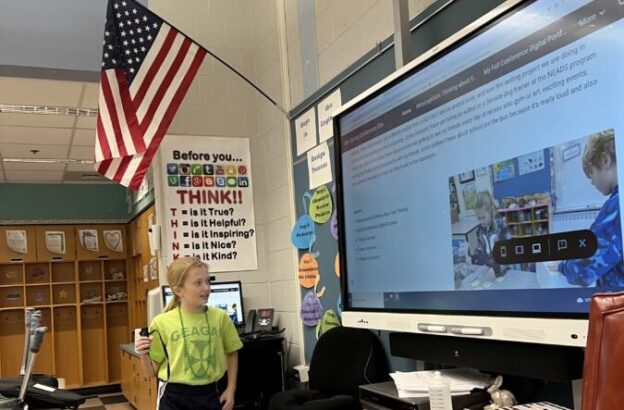
    When it is time for the conference, students enter the room with their guests. I invite all support staff who work with each child to be included in their conference. We want to celebrate the success of the individual child as a team! We sit at our kidney table and the student presents from the SMARTboard. He/she/they use a remote clicker that he/she/they use for class presentations previously and a mic (should he/she/ they want it). Guests can take time to ask questions. At the end, we have a few minutes left should the adults want to talk to the teachers without the child present. The child has been prepared for this, taking a book to read in the hallway. It is rare when an adult asks to do this, since the child has covered everything throughout their conference.

    In March, we gear up for our spring conferences, this time developing a Google Site . I teach the students about how to make a site, showing them the various tools available for them. I created a model of the Google Site I expect him/her/them to make, which we go through as a class. Then students begin working on each page, checking in with me as they go. It is amazing to see how the students articulate their learning, and immediately begin working on his/her/their areas for growth and take on such pride when sharing his/her/their learning with others.

    Now when I sit at the table as a facilitator of learning, eyes shining brightly, I listen intently to each individual child. I realize he/she/they say more than I ever could in 15-20 minutes to their adult support team. The person in charge of his/her/their learning had a seat at the table. We, as educators, need to trust our students. They can articulate everything we would say to guardians, and it is much more powerful coming from the student.

  • Common Sense, Teaching and Educational Technology 

    Common Sense, Teaching and Educational Technology 

    In my classroom, I like to use certain phrases and sayings that have become somewhat of a cliché for me. One of my favorite phrases to use is, “Common sense is not a flower that grows in every garden.” Most people like the phrase “common sense ain’t so common”.

    Common sense is the general term used to describe an ability to use reasoning and logic in everyday situations. It is a basic aspect of human intelligence allowing us to navigate our way through our daily lives. Common sense is based on experience, observations, and the culture you were raised in. It usually involves core principles, risk assessment and consideration for others (empathy).

    So, why is it that we as teachers do not utilize or teach common sense? One of the most important aspects of common sense is to promote understanding over memorization. I am not saying that memorization is a bad thing. There are certain things that you just need to know . However, studies have shown that students who understand the material are more likely to retain the knowledge. Most importantly, they can apply this knowledge to real world situations. This is why it is important to teach and cultivate critical thinking, common sense and problem solving, rather than just rote memorization.

    Just how do we foster this shift to understanding over memorization? Traditional lectures have their place in education. For example, introducing some new material and content. They need to be supplemented with activities that require the student to engage with the material in different ways. Active learning activities help a student to apply what they learn in meaningful ways. They create a need for common sense and understanding. Students learn best when they are actively engaged in the learning process. They need some agency and accountability. Open ended, project-based learning is huge for this.

    Participating in these open-ended problems is a fantastic way to emphasize practical skills (common sense). The soft skills that the students learn through these projects are going to be beneficial to them overall. We are teaching them life skills they can use to succeed well beyond the classroom. Skills like communication, teamwork, problem-solving, and time management.

    The integration of educational technology, or edtech, has brought some significant changes to the way that students learn, and teachers teach. The use of edtech has also raised concern about its effectiveness and impact on student learning outcomes. We do not want to create another passive learning environment like we already have. Additionally, we want to ensure that the integration of edtech does not widen the existing inequality gap. Everyone needs equal access to edtech tools as well as the technology to use those tools

    It is important that edtech be used with some common sense in the classroom. Just because you have a tool and can use the tool does not mean that you should. Digitizing a worksheet just makes it an expensive worksheet. Teachers, administration, and parents need to make sound decisions on incorporating technology for their students and children.

    Here are some strategies to add some edtech to the classroom:

    • Use real-world examples: Use real-world examples and scenarios to demonstrate common sense in action. Discuss with your students how the situations could have been handled better or differently.
    • Encourage collaboration: Encourage collaboration among students to develop problem-solving and critical thinking skills. Give them opportunities to work together in groups to solve problems.
    • Practice decision-making: Give students opportunities to practice decision-making by presenting them with choices and scenarios to consider. Discuss the implications of each option and encourage them to make an informed decision.
    • Role-play exercises: Use role-playing exercises to help students practice handling different situations. This will help them build confidence in their problem-solving skills.
    • Use case studies: Use case studies to analyze and discuss situations where common sense is important. This will help students to understand how to apply common sense to different situations.
    • Teach problem-solving skills: Teach students how to identify problems and produce creative solutions. This will help them to develop critical thinking skills that are essential for common sense.
    • Use simulations: Use simulations to help students understand complex situations and practice making decisions. This can include virtual simulations or real-life simulations, such as a mock trial.
    • Encourage questioning: Encourage students to ask questions and seek clarification when they are unsure about something. This will help them to develop their analytical skills and become more independent thinkers.
    • Model good decision-making: Model good decision-making by explaining your reasoning behind your decisions. This will help students to understand how to make informed decisions and develop their own critical thinking skills.
    • Use reflection: Encourage students to reflect on their own decision-making processes and how they can improve. This will help them to develop self-awareness and continue to improve their commonsense skills.

    Here are some strategies to add common sense and ed tech together:

    • Use digital tools for collaboration: Use digital tools such as Google Drive or Microsoft Teams to encourage collaboration among students. This will help them develop teamwork and communication skills, as well as improve their digital literacy.
    • Use online assessments: Use online assessments to track student progress and identify areas where they need additional support. This will help you tailor your teaching to meet the needs of each student.
    • Encourage responsible use of technology: Teach students how to use technology responsibly and safely. This includes teaching them about online etiquette, privacy, and security.
    • Use online resources: Use online resources such as Khan Academy or YouTube to provide additional support for students. This can help them learn at their own pace and provide a different perspective on the material.
    • Use gamification: Use gamification to make learning more engaging and interactive. This can include using educational games or incorporating game-like elements into classroom activities.
    • Use digital storytelling: Use digital storytelling tools such as Adobe Spark or Canva to help students develop their creativity and communication skills. This can include creating presentations, videos, or infographics.
    • Use virtual field trips: Use virtual field trips to give students a more immersive learning experience. This can include virtual tours of museums, historical sites, or natural wonders.
    • Use online discussion boards: Use online discussion boards to encourage students to engage in meaningful discussions about course material. This can help them develop critical thinking and communication skills.
    • Use adaptive learning platforms: Use adaptive learning platforms such as DreamBox or ALEKS to provide personalized learning experiences for each student. This can help them progress at their own pace and provide additional support where needed.
    • Use digital portfolios: Use digital portfolios to help students track their progress and showcase their work. This can help them reflect on their learning and provide evidence of their achievements.
  • ChatGPT Teacher Tips Part 2: Quizzes and Tests

    ChatGPT Teacher Tips Part 2: Quizzes and Tests

    Post by Tom Daccord

    [INTRO: A recent national report by the Watson Foundation found that teachers are using ChatGPT more than students and are using it to create new lesson ideas. To help out all of our teacher friends, we are offering a series of posts focused on practical ways that you can use ChatGPT to assist with own lesson design! (Check out our first tip here!) Each post will focus on a practical strategy for using ChatGPT and will include ideas for both elementary and secondary school teachers. Here is the second part of our series:]

    Teacher Tip #2 Quizzes and Tests

    Why quizzes and tests?

    ChatGPT is particularly useful in building quizzes and tests for standardized content and it can also save teachers much time. And in-class quizzes and tests are especially useful now since ChatGPT can complete many take-home assignments being tasked to students.

    How to use ChatGPT for Quizzes and Tests

    First, it’s important to provide context in your prompt(s) so that ChatGPT can construct questions that are appropriate for the level and abilities of your students. So, think about whether any of the following information would be useful in constructing a prompt for ChatGPT:

    What is the grade level of your students? What is the age of your students?

    What is the name of the course being tested? Are students taking a standardized course, such as Algebra II or AP English Literature?

    Is there any other information or context that would help ChatGPT prompt appropriate questions for your quiz or test?

    Second, upload any specific content you would like to use as the basis of a quiz or test. For example, if you are testing their understanding of information in a handout, upload that handout to ChatGPT. Note that you can also upload a podcast, lecture, or YouTube video transcript to ChatGPT.

    If you do upload content, keep in mind that if you are using the subscription-based ChatGPT-4 (GPT version 4.0) you can upload up to 25,000 words of content. But if you are using the free version of ChatGPT-3.5 (GPT version 3.5) you are limited to about 3000 words of content.

    Additionally, if you are using ChatGPT-4 you can upload images and ChatGPT can provide you with detailed descriptions of the images. But if you are using the free version of ChatGPT (GPT version 3.5) you can only upload text.

    ChatGPT is able to provide quiz and exam questions for a standardized course, such as Algebra II and AP American History, so you do not need to upload content for these courses.

    Third, think about the types of questions ChatGPT can include in your quiz or exam:

    • Multiple-choice questions
    • Flashcard set
    • True or false questions
    • Fill-in-the-blank questions
    • Short answer questions
    • Matching questions
    • Essay questions
    • Problem-solving questions: These questions require students to apply knowledge and skills to solve a problem or answer a question.
    • Diagram or picture-based questions: These questions require students to interpret and analyze a diagram or picture.
    • Interactive questions: These questions require students to interact with digital media, such as videos or animations, to answer a question.
      • For example: Watch an animated story and choose the correct sequence of events from a list of options. (primary school students)
      • Watch a simulation of a chemical reaction and answer questions about the products and reactants involved. (secondary school students)

    Generating Quiz or Test Questions

    As mentioned above, ChatGPT is able to provide quiz and exam questions for a standardized course, such as Geometry I or AST Subject Tests. But, with less standardized content, you may have to undertake some careful “prompt engineering” to arrive at questions appropriate for your students.

    Here are three examples of quiz or test questions ChatGPT can formulate for a standardized course, Geometry I:

    Multiple-choice question:

    In a right-angled triangle, which of the following trigonometric ratios represents the ratio of the length of the side opposite the right angle to the length of the hypotenuse?

    A. Sine

    B. Cosine

    C. Tangent

    True/false question:

    True or False: All the angles in an equilateral triangle measure 60 degrees.

    Open-ended question:

    Given a rectangle with a length of 12 cm and a width of 5 cm, calculate the area and the perimeter of the rectangle.

    Next, here is an attempt to engineer a prompt to produce a 3rd grade quiz on plant life :

    “I am teaching a class of 3rd grade students who are studying plant life. They are learning the importance of soil in plant life and are required to know the following terms: Humus, Nutrients, Sand, Silt, Clay, Soil, and Topsoil. Formulate a quiz of 10 questions appropriate for 3rd grade students that include: multiple-choice questions, true or false questions, fill-in-the-blank questions, and short-answer questions. Also, include one problem-solving question.”

    Note: If you are using ChatGPT-4 you might include a diagram-based question.

    So, here is a sample of the questions ChatGPT provided:

    True/false question:

    Nutrients in the soil are essential for plants to grow and develop.

    Fill-in-the-blank question:

    The three main types of soil particles are ____, ____, and ____.

    Short-answer question:

    How does humus help plants grow?

    Multiple-choice question:

    Which soil particle has the smallest size?

    A. Sand

    B. Silt

    C. Clay

    Problem-solving: If a plant needs nutrients to grow, but the soil it’s planted in doesn’t have enough nutrients, what can you do to help the plant grow?

    Does the language above seem appropriate for a 3rd-grade class? Herein lies the challenge; it can take some effort to generate appropriate questions for a specific reading level. It can be done, but it may take some time to ultimately craft an effective prompt.

    Remember, ChatGPT may not always respond exactly as you expect. However, with a bit of creativity and effective prompts, ChatGPT can be a useful and engaging tool for creating quizzes and exams for your students.

    –by Tom Daccord, with help from ChatGPT

    Interested in learning more about ChatGPT and AI in Education? Our summer learning pass includes an amazing new course designed specifically for teachers interested in these emerging AI technologies! Learn more about the course and sign up for our summer learning pass today!